If you’ve ever ordered a custom metal or plastic part from a CNC milling service, odds are you didn’t think much about the invisible work happening between your design file and the finished component. But here’s the thing: that “invisible work” is almost always done by CAM software, and it’s the reason your part comes out exactly how you wanted it—no wonky holes, no chipped edges, no missed specs. As the owner of a small CNC milling shop, I’ve spent way more hours than I care to admit troubleshooting CAM mistakes, and I’ve learned it’s not just a tool—it’s the backbone of every job we do. Let’s break down what CAM actually does, why it matters for services like ours, and why it’s non-negotiable for getting the parts you need right. CNC Milling Services

First, let’s clear up the acronyms because I still mix them up sometimes when I’m deep in a late-night project: CAM stands for Computer-Aided Manufacturing, and it works hand-in-hand with CAD (Computer-Aided Design, that’s the file you send us with your part’s dimensions). CAD is the pretty blueprint you draw on, like if you’re designing a custom bracket for a motorcycle or a medical device housing. But CAD can’t talk to our CNC mills—those are big, heavy machines with spinning tools that remove material one layer at a time. CAM is the translator that takes your CAD file and turns it into a step-by-step instruction manual our mills can actually follow. No CAM, no working mill, just a hunk of aluminum sitting there staring at us.
A big misconception I run into all the time is that CAM is just “typing G-code” (that’s the raw code that moves the mill). Nah, it’s way more involved. When a customer sends over a CAD file, our CAM operator (that’s me, most days) starts by setting up the tool path—basically, mapping out every move the mill will make. Let’s say you need a custom 6061 aluminum bracket with 10mm mounting holes, a curved edge, and a smooth finish. The first thing we do in CAM is pick the right tools: a roughing end mill to hog out most of the material fast, then a smaller finishing end mill for the curved edge, and a drill bit for the holes. If we skip that step, we’d either take forever to make the part or burn the edge so bad it’s unusable.
Wait, and speaking of tools—CAM also handles feed rates and spindle speeds, which is huge. If you’ve ever seen a mill eat through a tool like it’s butter, that’s because the feed rate (how fast the tool moves) or spindle speed (how fast it spins) was wrong. CAM calculates those numbers based on the material (aluminum vs. stainless steel is totally different), the tool type, and the cut depth. For example, cutting stainless steel needs a much slower feed rate than cutting acrylic, otherwise the tool will overheat, break, or leave a rough surface. I once had a customer bring in a rush stainless steel bracket that he tried to run himself with a free CAM program he downloaded online. He messed up the feed rate, snapped a drill bit off mid-hole, and the part was ruined. We fixed it with our proper CAM setup, but it cost him time and money—all because he skipped that step.
Another huge role CAM plays is avoiding collisions. CNC mills are big, and so are the tools. If the tool path hits the vice that holds the part in place, or a stray screw, or even the side of the machine, you get a bent tool, a chipped part, or a damaged machine that costs thousands to fix. That’s not just a headache for us—that’s a delay for our customers. Our CAM software simulates the entire job before we ever even turn the mill on. I can spin that virtual part around, zoom in on every angle, and see exactly what’s going to happen. Last month, we had a customer send a tiny, complex plastic gear that had a thin pocket near the edge. In CAM simulation, I noticed the roughing tool was going to dip into the vice holding the part. I adjusted the tool path, set a smaller tool for the initial roughing, and avoided a collision that would’ve wasted a $200 block of PEEK plastic. That’s the kind of thing that makes a good CNC milling service stand out—CAM isn’t just code, it’s a safety net.
Then there’s finishing, which is what most customers care about. You don’t want a part that’s all rough edges and uneven surfaces, right? CAM lets you adjust things like stepovers (the distance the tool moves between passes) and cut direction to get a smooth finish. For parts that need a super tight tolerance—like a medical device part that has to fit into a specific casing—CAM lets us set tolerances down to 0.001 inches, which is way smaller than a human could measure or cut manually. I’ve had customers compare our parts to ones they got from other services, and they always mention how much smoother the edges are, or how the holes line up perfectly every time. That’s not luck—that’s CAM doing its job.
Wait, and what about when a customer needs a one-off custom part vs. a small production run? CAM handles both, which is why our service works for everyone from hobbyists needing a single bracket to startups needing 500 parts for a new product. For a single part, CAM lets us optimize the tool path to be fast and accurate. For 500 parts, CAM can create a repeatable program that doesn’t change, so every part is identical. No more variation from part 1 to part 500. That’s a game-changer for startups that are trying to hit a launch date and can’t afford parts that are slightly off. I worked with a med tech startup last year that needed 1000 custom plastic housings for a glucose monitor. We used CAM to set up a program that ran every part exactly the same, and they passed all their quality checks on the first try. Without CAM, they would’ve spent weeks tweaking each part, and their launch would’ve been delayed.
Now, I’m not gonna lie—CAM isn’t perfect. There are bad CAM programs out there, or operators who don’t know how to use them right. That’s why at our shop, we use a specific CAM software (I won’t name names, but it’s one of the big ones for industrial milling) and our operators go through months of training. A lot of cheap CNC milling services use free, outdated CAM tools that don’t have the simulation or tolerance features we need. They’ll just take your CAD file, spit out G-code, and hope for the best. That’s how you get parts that are too big, or have holes that don’t line up, or break tools mid-job. We get those requests all the time: “Can you fix this part that another mill messed up?” Usually, it’s a CAM error—like a collision that wasn’t simulated, or a feed rate that was way too high.
Another thing CAM does that customers might not think about is material optimization. When you send us a CAD file for a part, CAM lets us arrange multiple parts on a single block of material so we don’t waste as much. For example, if someone needs four small brackets, we can nest them in CAM so they fit on one 4×8 inch aluminum block instead of four separate blocks. That saves the customer money because they don’t have to pay for extra material, and it’s better for the environment too. I had a hobbyist customer last year who was making 10 custom brackets for his truck. A different service quoted him $500 for material and labor, but we used CAM nesting to cut the total material cost in half, and our labor was just a little more because we had to adjust the tool path. He was stoked, and he’s been a repeat customer ever since.
Wait, let’s talk about something I see way too often: people mixing up CAM with “just turning a program on.” No way. Good CAM requires understanding both the software and the machining process. You can’t just import a CAD file and hit “generate tool path.” You have to know when to use a roughing tool vs. a finishing tool, what feed rate works for the material, how to avoid undercuts, and how to adjust for any quirks in the mill itself. For example, some mills have a little bit of play in the Z-axis, so you have to adjust the CAM program to compensate for that, otherwise you’ll cut too deep or too shallow. That’s the kind of nuance that comes from years of experience with CAM, not just watching a YouTube video on how to use the software.
At the end of the day, what makes a CNC milling service reliable isn’t just having a big mill or cheap prices—it’s having a good CAM setup. Every part we make starts with that CAD file, goes through our CAM operator’s laptop, comes out as a tool path, and then the mill cuts it. If that CAM step is bad, the whole job is bad. I’ve been doing this for 12 years, and I’ve seen more jobs go wrong because of bad CAM than bad mills. It’s the unsung hero of custom manufacturing.
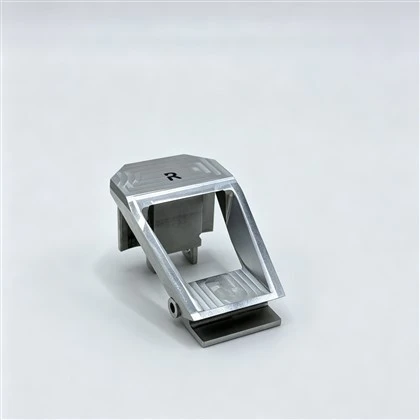
If you need a custom part—whether it’s a one-off prototype, a small production run, or a rush part for a project—you don’t have to stress about the CAM stuff. We handle all that. Just send over your CAD file, tell us what material you want, and what you need the part to do, and we’ll take care of the rest. No hidden fees, no missed specs, no parts that don’t fit. If you’ve had bad experiences with other milling services before, let us show you the difference that a good CAM setup makes. Reach out to us to discuss your project and get a quote—we’re here to help.
CNC Parts References
- Brown, K. (2021). CAM Programming for CNC Milling: A Practical Guide. Industrial Press.
- Smith, J. (2022). The Role of Computer-Aided Manufacturing in Precision Machining. Journal of Manufacturing Processes, 78, 124-132.
- Miller, L. (2020). Common CAM Errors and How to Avoid Them for Custom CNC Projects. CNC Machining Magazine, 18(4), 45-52.
Dongguan Bosi Precision Co., Ltd.
With abundant experience, we are one of the most professional CNC milling products manufacturers and suppliers in China. We warmly welcome you to buy high quality CNC milling products made in China here from our factory. We also accept customized orders.
Address: Room 101, Building2, No. 30 Shangsheng Road, Changan, Dongguan, Guangdong
E-mail: irene@bosiprecision.com
WebSite: https://www.bosiprecision.com/
